Pixel Blue Lock Tackling Guide: Controls and Defense
Learn Pixel Blue Lock tackling controls, use E to tackle on PC, and practice defending in 5v5 soccer with key movement inputs and private server options.
Jump to

How to Tackle in Pixel Blue Lock
Pixel Blue Lock tackling uses E on PC, while Q handles dribbling and Shift handles sprinting. In the game’s 5v5 soccer matches, practice approaching the ball carrier before committing to a tackle. Keep Space, the flick input, separate from your tackle key when learning the controls.
Controls for November 21, 2026
| Action | PC input |
|---|---|
| Tackle | E |
| Dribble | Q |
| Flick | Space |
| Sprint | Shift |
| Pass | M2 / R |
Build your practice around moving into position, then pressing E deliberately. Use Shift to practice closing the distance, and pay attention to where your movement leaves you when you attempt a tackle.
The attacking controls matter for defense, too: opponents have dribbling and flicking options. Watch the ball carrier’s movement instead of focusing only on your tackle key.
After gaining possession, practice switching to M2 or R for a pass. Make the transition from defending to using the ball part of your routine.
The other PC inputs are M1 for shooting, 1 and 2 for skills, G for awakening, T for Flow, and Tab for match stats.
Official page: Pixel Blue Lock (roblox.com)
Practice With Private Server Controls
For a more controlled practice setup, Private Servers Plus costs 149 Robux and gives you these tools:
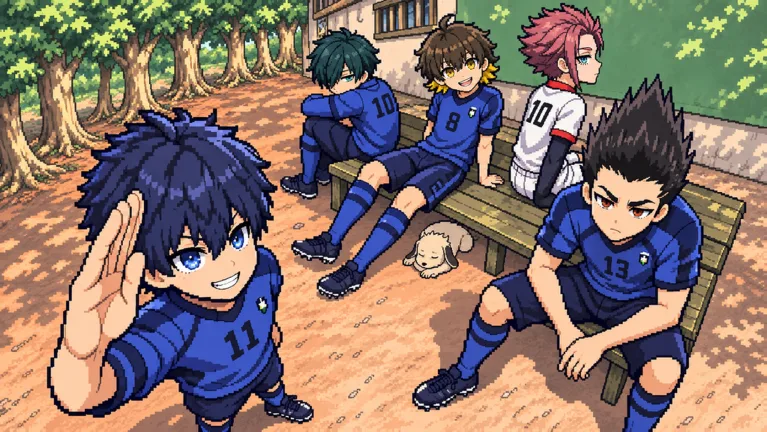 Image: Roblox / Pixel Blue Lock
- Bots with adjustable difficulty.
- Match length and mercy rule controls.
- An option to restart the game.
- An option to kick players from your private server.
Use the bot difficulty setting to choose your practice challenge. Focus on approaching and attempting tackles, then restart the match when you want to repeat the exercise. Adjust match length to suit the session.
Carry that practice into 5v5 matches, with up to 10 players per server. Keep track of teammates before chasing the ball carrier, and leave yourself space to respond to their next move.
The game also supports mobile and console. The keyboard inputs above apply to PC.
Continue with
 Pixel Blue Lock Awakenings: Controls and Spin RewardsLearn how Pixel Blue Lock awakenings work, which key to press, how to earn the Awakened badge, and which code gives 4 Lucky Awakening Spins in Story Mode.
More in Skills

Pixel Blue Lock Dribbling: Controls and Ball Skills
Learn Pixel Blue Lock dribbling controls, use Q to dribble and Space to flick, and practice passing, sprinting, and shooting for fast 5v5 soccer on Roblox.
Pixel Blue Lock Flick Guide: Controls and Volley Tips
Master the Pixel Blue Lock flick with the Space key, learn the PC controls for shooting and passing, and practice lifting the ball over defenders in 5v5.
Pixel Blue Lock Flow Guide: Controls and Free Spins
Learn Pixel Blue Lock flow controls, keep Flow separate from Awakening, and find codes for normal and Lucky Flow Spins to use in this Roblox soccer game.
Pixel Blue Lock Passing: Controls and Team Play Tips
Learn Pixel Blue Lock passing controls, use M2 or R to move the ball, and link passes with dribbles, flicks, and first-time volleys in fast 5v5 games.
Continue exploring
Join the community
Official channels for news, updates and player help: